Help & FAQ

All

Privacy Notice

Welcome on the City Insights Manager

We put great importance to data protection and therefore use the data you provide to us with upmost care. You can handle the data you provide to us in your personal dashboard. You will find our complete regulations on data protection and clarification of your rights in our privacy notice. By using the website and its offers and navigating further, you accept the regulations of our privacy notice and terms and conditions.

Accept

Daily email digest: act on today's moves

Get up to three concrete moves in your inbox every weekday morning, so you know what to act on without having to log in first.

Intro

This guide explains the CIM daily email digest: how to switch it on, what it contains, how to read a move, and how to get more out of it.

Every weekday morning, the CIM checks the latest tenders, contract awards, funding calls and council decisions across Europe against your Product Profile. When it finds something suitable, it sends you up to three moves: specific actions you can take that day, ranked by how well they fit your offer.

Why this matters

Opportunities in the public sector are easy to miss and often time-bound. The digest does the scanning for you and turns what it finds into a clear next step, such as bidding for a tender, contacting the company that just won a contract, or approaching a city before a tender is published. That way you spend your time acting on opportunities instead of searching for them.

Step by step

  1. Switch the digest on. Inside the Opportunity Radar section, click on the [Product Profiles] button in the top corner. In the popup, use the daily digest toggle next to each profile to switch the email on or off. The digest is sent per Product Profile, so you get one email for each profile you switch on. New profiles have the digest switched on by default.

  2. Set your countries or regions. When you create or edit a Product Profile, select the countries or regions where you want to sell. The digest gives priority to opportunities there.

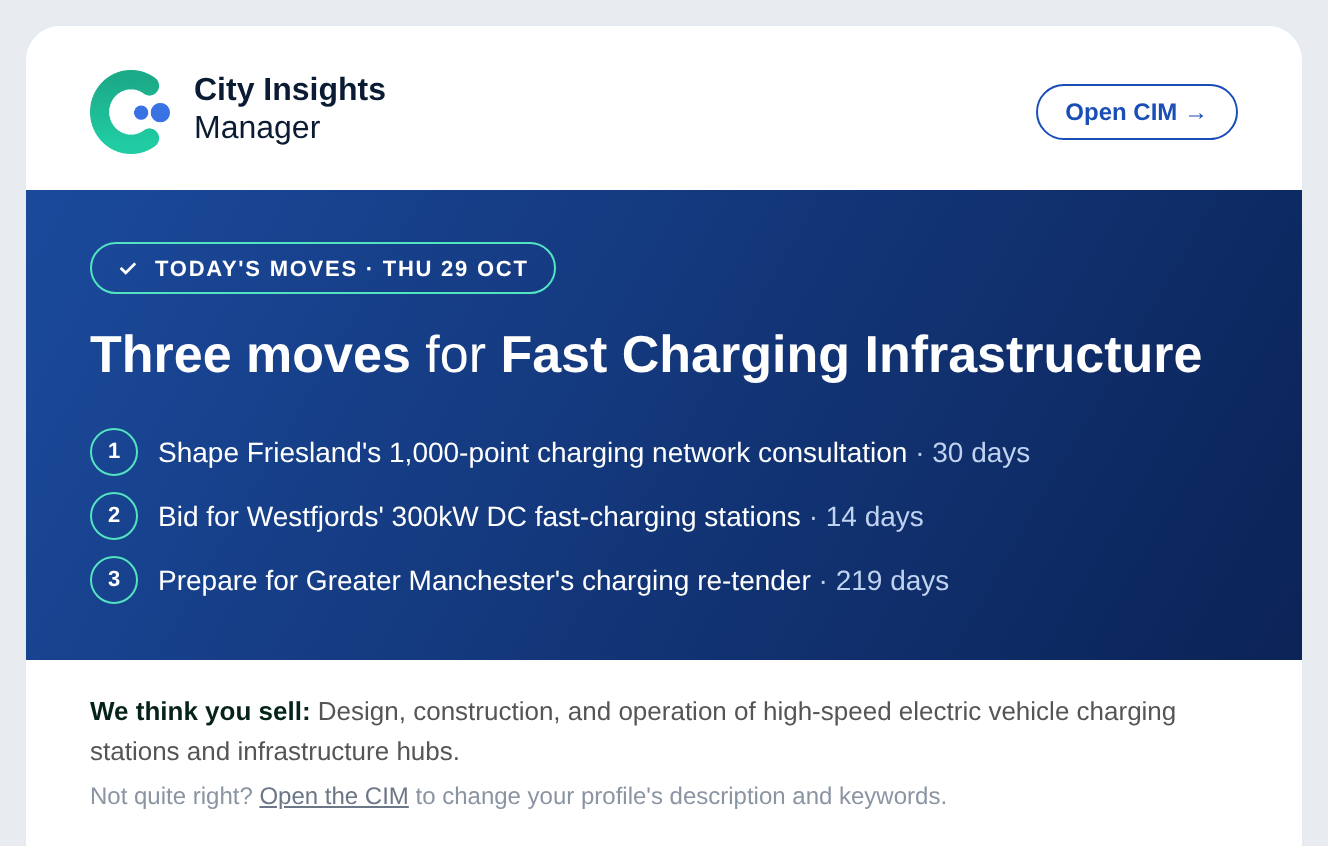
  3. Check the email in the morning. The digest arrives on weekdays at around 07:30 (CET). The blue header shows how many moves there are today and lists their headlines.

  4. Read each move. A move shows:

    1. Type, timing and effort: for example Live tender, Contract just awarded, Funding call or Contract ending; how many days you have left to act; and how much work it takes, from a quick call or email to a full bid of several days.

    2. Country and organisation behind the opportunity.

    3. Headline and action: what we suggest you do, and by when.

    4. Contact: where available, an email address from the tender or award notice (for example the procurement contact or the company that won the contract).

    5. Watch out: one thing to check before you act, such as eligibility rules or a required partner.

    6. Buttons: open the source in the CIM, add the deadline to your Calendar, or Forward the move to a colleague.

      Some moves also show a possible funding route: a funding call that could help pay for the project.

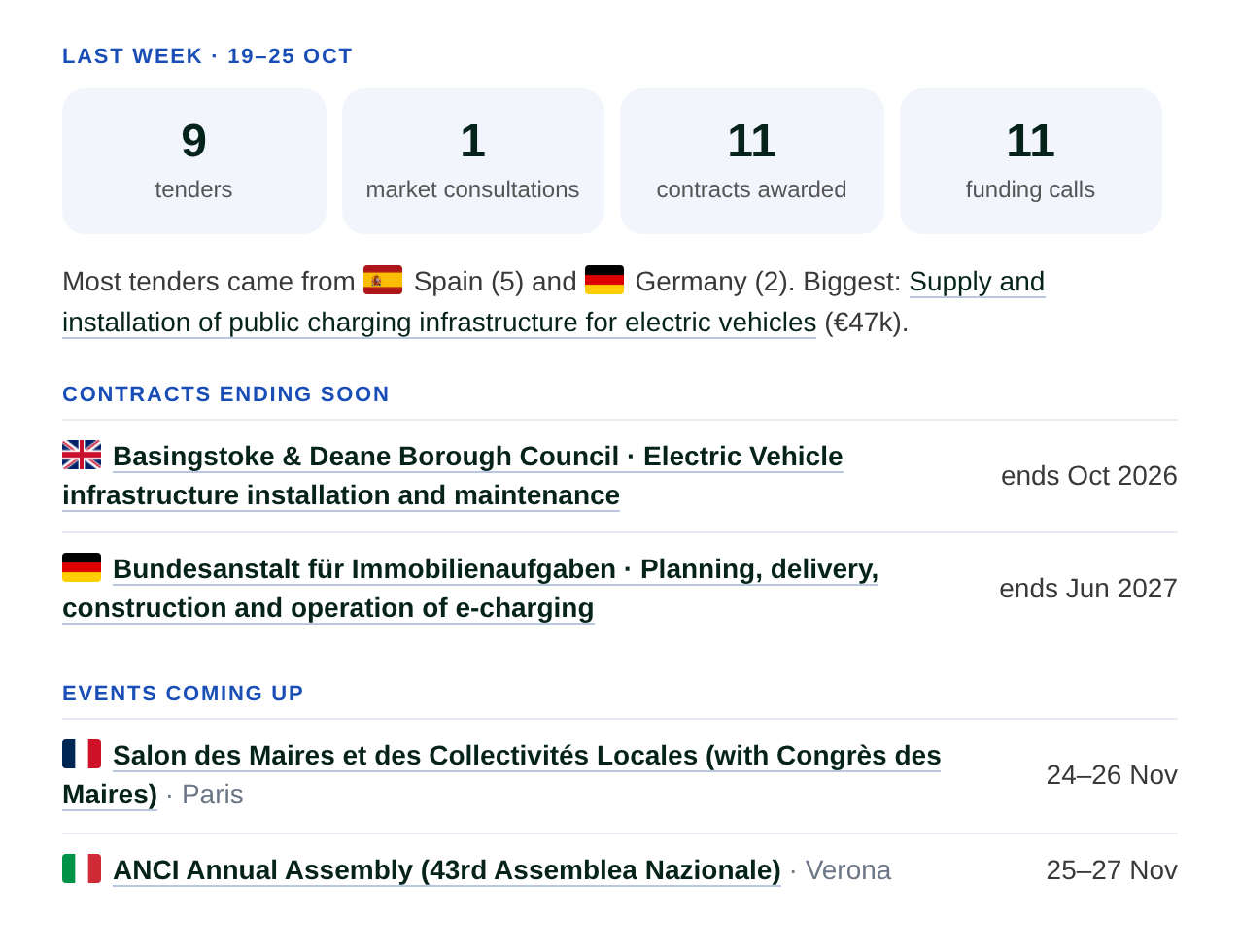
  5. Read the Monday overview. On Mondays the digest starts with a short overview of the previous week for your profile: the number of new tenders, market consultations, contract awards and funding calls, the biggest tender, contracts ending soon and relevant events coming up.

  6. Stop the digest when you no longer need it. Click Stop these emails at the bottom of the email, or switch the toggle off in the [Product Profiles] popup. Either way, the digest stops for that profile from the next morning. Your other profiles keep their own setting.

Best way to do this

The digest is only as good as your Product Profile. At the top of each email you will see a line starting with We think you sell:. If that does not describe your offer well, update the profile's description and keywords in the CIM. Better profiles lead to better moves from the next morning.

Use the countries or regions to match where you sell. If you focus on a few markets, select them and the digest puts those first. If you're open to opportunities anywhere, leave them empty and the digest searches across all of Europe.

If you offer several products, create a separate Product Profile for each one and switch the digest on for each, rather than using one broad profile. See Add a new product profile.

Treat the moves as a shortlist, not a to-do list. Each move is based on public records, but always open the source and check the details (deadlines, requirements, amounts) before you invest time in a bid.

Common mistakes

  • Expecting three moves every day. On quiet days you may get fewer, and if we find nothing suitable for your profile, there is no email that day. On Mondays you still get the weekly overview.

  • Ignoring the We think you sell line when the moves feel off. That is usually a sign the Product Profile needs sharpening.

  • Not setting countries or regions when you only sell in a few markets, and then getting moves from countries you don't serve.

  • Keeping the digest on for old or test profiles. Switch it off for profiles you no longer use, so your inbox only has moves that matter.

  • Skipping the Watch out line. It often contains the reason a move may not be right for you.

  • Waiting too long on award moves. The best time to contact a company that just won a contract is in the first weeks after the award.

What to do next

Open a move in the CIM to see the full source record, then use filters and Signals to explore related opportunities in the same city or sector.
Something went wrong on our side. Please try reloading the page and if the problem still persists, contact us via [email protected]
Action successfully completed!