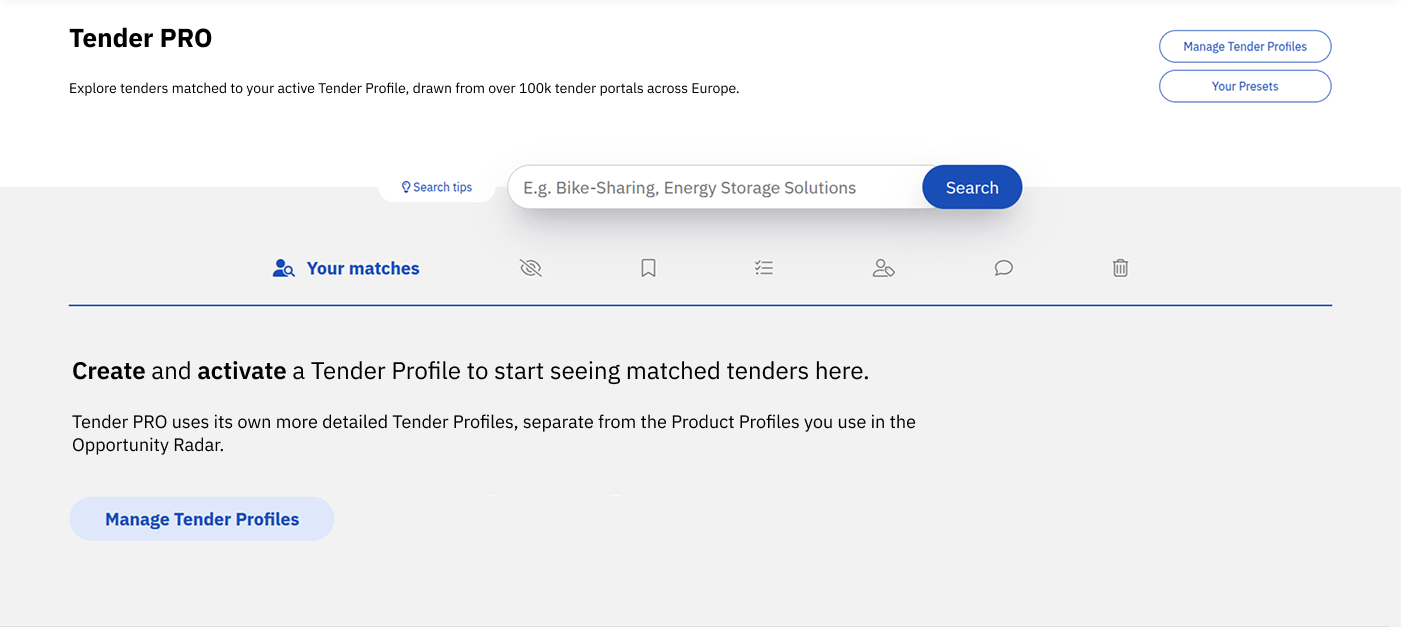
Click [Manage Tender Profiles], then select [Add new search profile].
Enter a clear Name for the profile, for example the offer or topic it covers (and the language, if you plan to create one profile per language).
Select the Languages to search in. If you don’t select any, all languages will be searched. For very specific keywords in one language (e.g. “Mobilitätswende”), search only in that language; for words that are the same across languages (e.g. “digital”), searching all languages finds more matches.
Add your Included terms: the keywords and multi-word phrases that describe what you sell. See the section below for how to choose strong keywords.
Optionally add Excluded terms to filter out undesirable results — but only if you are certain the terms are specific enough not to exclude potentially interesting tenders.
Select the Countries to limit the search to, or leave it open to include all.
Optionally add Included CPV Codes (comma-separated). Be careful: only tenders matching at least one of the codes will be considered. If you are not sure about the codes, leave this field empty.
Optionally add Excluded CPV Codes. The same caution applies: tenders matching any of these codes will never appear.
Optionally add Clients to only see tenders from specific contracting authorities.
Under Users, add yourself and any colleagues who should have access to this search profile.
Choose a Folder to put the profile in. If you type a name that does not exist yet, a new folder will be created.
Click [Save profile].
Best way to do this
Choosing strong keywords
Start from what you actually sell — your products, services, and technologies — and add the sector context in which buyers would tender for them (e.g. local authorities, hospitals, transport agencies).
Use specific whole words and two-word phrases. Avoid abbreviations (they can mean different things in different contexts and languages) and avoid single words that are too generic, such as “software”, “services”, “solutions”, “system” or “platform”, unless combined with another term. “Self-driving cars” will yield more useful results than “self”, “driving” and “cars”.
A single word is fine if it is specific enough (e.g. “commuting” or “fietsenstalling”). In that case, prefer the single word over several phrases containing it: “fietsenstalling” alone will match “RFID fietsenstalling”, “digitale fietsenstalling” and any other combination.
Don’t be too narrow either: avoid relying only on internal product names or niche acronyms, and include realistic synonyms that contracting authorities might use.
Aim for roughly 20–40 strong, non-duplicated keywords per profile, and never more than 50. If you would exceed that, keep the most informative terms and drop the generic ones.
Language strategy
If you cover multiple countries, you can either create one profile per language or one combined multi-language profile (staying within the keyword limit). Separate profiles per language are usually easier to keep precise and to refine over time.
CPV codes
If you have no idea what CPV codes are, have a look here first: https://ted.europa.eu/en/simap/.
Seriously consider whether CPV codes are worth it — if your keywords are strong, you can often skip them. If you do use them:
Use the “*” wildcard to replace trailing zeroes, e.g. 722* to include all codes starting with 722. Always replace trailing zeroes with “*”.
Prefer codes whose descriptions clearly match your offering: specific enough to define the domain, but not so broad that they pull in lots of irrelevant tenders.
Roughly 5–15 included codes per profile is a good range.
Common mistakes
Using generic single keywords or abbreviations that match tenders in completely unrelated contexts
Relying only on internal product names, so tenders phrased in the buyer’s language are missed
Adding CPV codes “just in case” — an included CPV code is a hard filter, and a wrong one hides relevant tenders
Using excluded terms that are too broad, removing interesting results along with the noise
Cramming every offer and language into one oversized profile instead of several focused ones
Not refining the profile after reviewing the first results
What to do next
Review the first results your profile returns. If too much noise comes through, tighten the keywords or narrow the languages and countries; if too little appears, add synonyms or broaden the scope. Enabling historic tenders temporarily is a quick way to gauge match volume. Once the first profile performs well, create additional profiles for your other offers or languages.