Intro
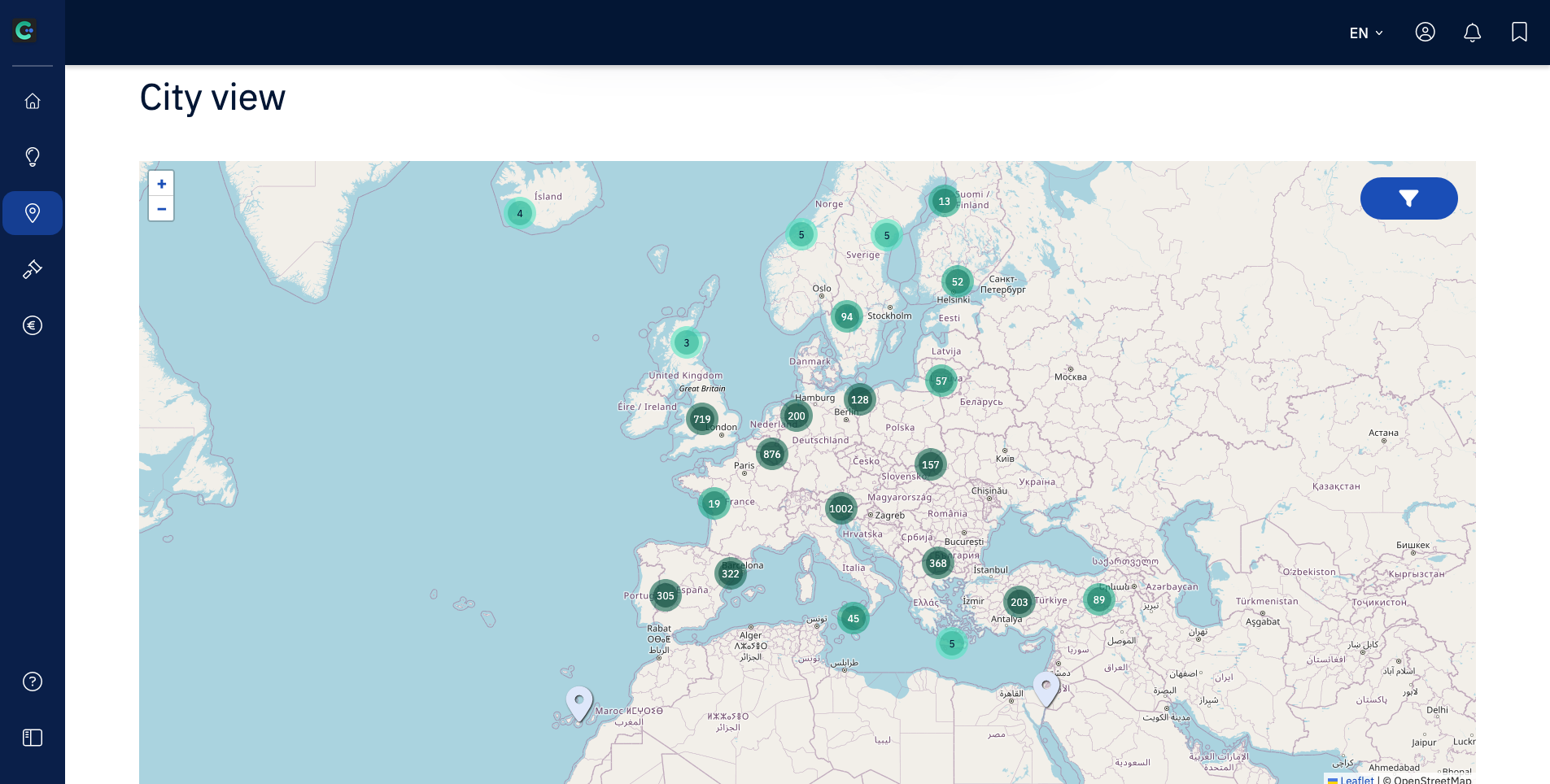
This guide shows you how to use the City view in the CIM to explore city-level data.
The City view is useful when you want to understand more than just the headline opportunity. It helps you look at the broader context and decide whether a city is worth deeper attention.
Why this matters
A strong opportunity is rarely just one Signal in isolation. The City view helps you assess whether the wider context supports action, whether the city’s general priorities align with your offer, and whether it makes sense to invest more time.
Step by step
Open the City view section on the left side in the CIM.
Search for or open a city on the map you want to explore.
Look through the sections on the left that show all the different types of Signals found for that city.
When you open a Signal type, e.g., Fundings, you are able to use filters or sorting options to further refine what you are looking at.
You can also use the search box on the left side to search for any keyword in all of the different Signals for the city.
Best way to do this
Use the City view to build context, not just to confirm what you already hope to see. Look for patterns, priorities, and indicators that tell you whether the city is genuinely relevant. The goal is not just to find activity, but to judge whether that activity connects meaningfully to your offer.
Common mistakes
Using the City view only to skim surface-level information
Forgetting to use the Filter options to further refine the data you see
Treating any city activity as proof of a good opportunity
What to do next
From here, return to your filtered Opportunity Radar to come across other matched opportunities.