Intro
This guide shows you how to add a new Product Profile in the CIM.
Product Profiles help the CIM understand what you offer and where it may be relevant. Adding a new one is essential to monitor a specific solution, target area, or commercial focus.
Why this matters
The quality of your Product Profiles shapes the quality of the opportunities you see. A well-defined profile gives you a stronger basis for spotting relevant Signals, filtering results, and deciding where to act.
Step by step
Inside the Opportunity Radar section, click on the [Product Profiles] button in the top corner.
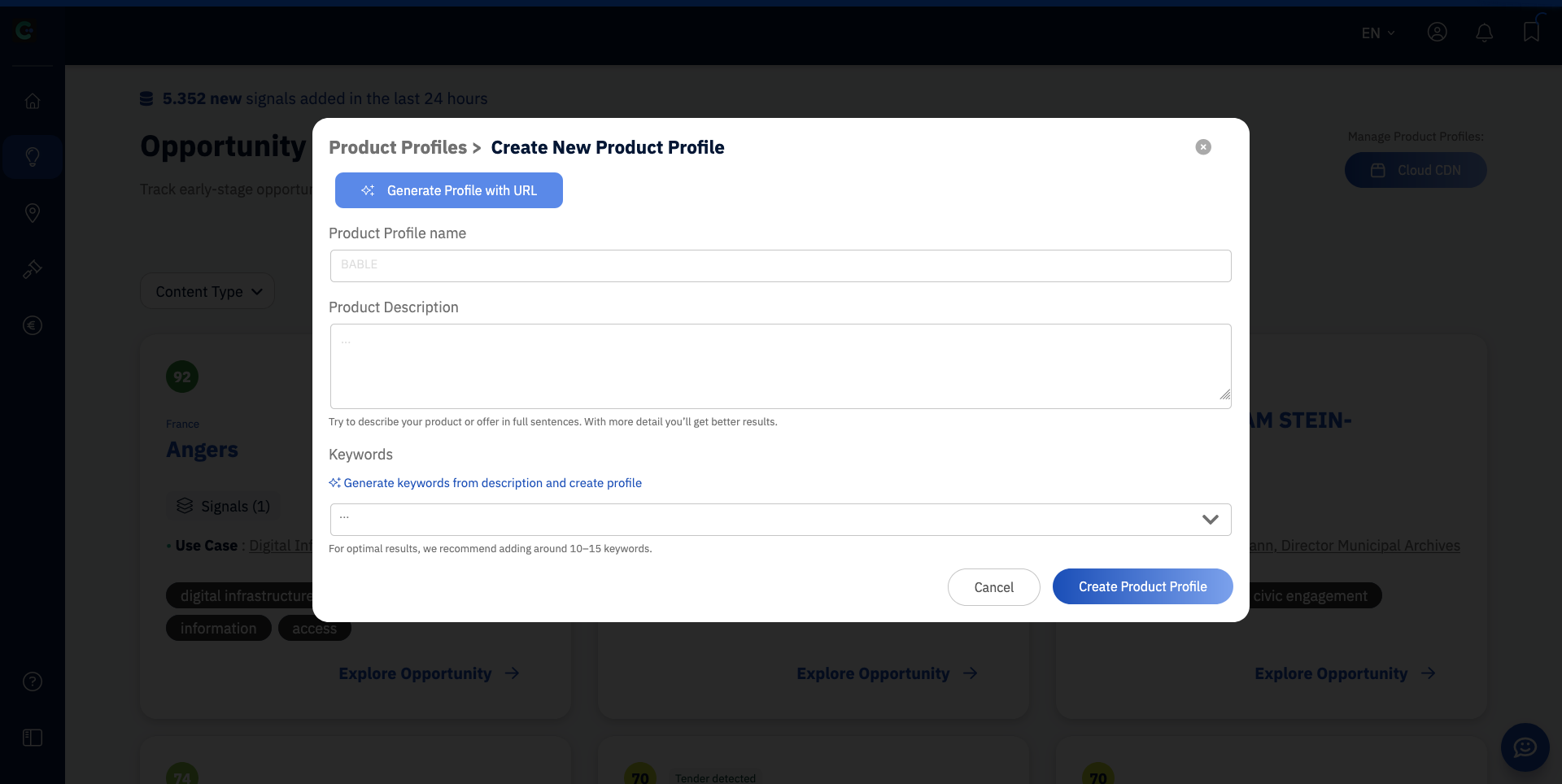
Select [Create a New Product Profile].
You can either have a profile created based on a public webpage you have that contains a description of your product, or create one manually.
Enter the URL to the product page and generate your profile, or:
Enter the profile name.
Add the core description of the product, solution, or offer.
Save the new profile.
Confirm that the new opportunities that appear in the Opportunity Radar match your newly created profile.
When you click on [Product Profiles] in the top corner, you can switch and activate different profiles you have created, as well as edit and create new ones.
Best way to do this
It is always recommended to at least create one Product Profile for each of your products or offers rather than one general profile that encompasses everything you offer. This will boost the found Signals enormously.
Be specific enough that the CIM can distinguish this profile from your other offers. A strong profile describes the actual solution focus, not just broad sector terms. If the profile is too vague, you’ll usually get broader, less useful results. If it’s clear and well scoped, the signals are easier to interpret and act on.
Common mistakes
Creating profiles that are too broad or too similar to each other
Using internal jargon that doesn’t clearly describe the offer
Not improving and editing an existing profile based on the quality of opportunities you see
Adding a profile without considering how it differs from your other profiles
What to do next
Once your profile is in place, use filters to find the opportunities and Signals that matter most.